Revision cloudRW
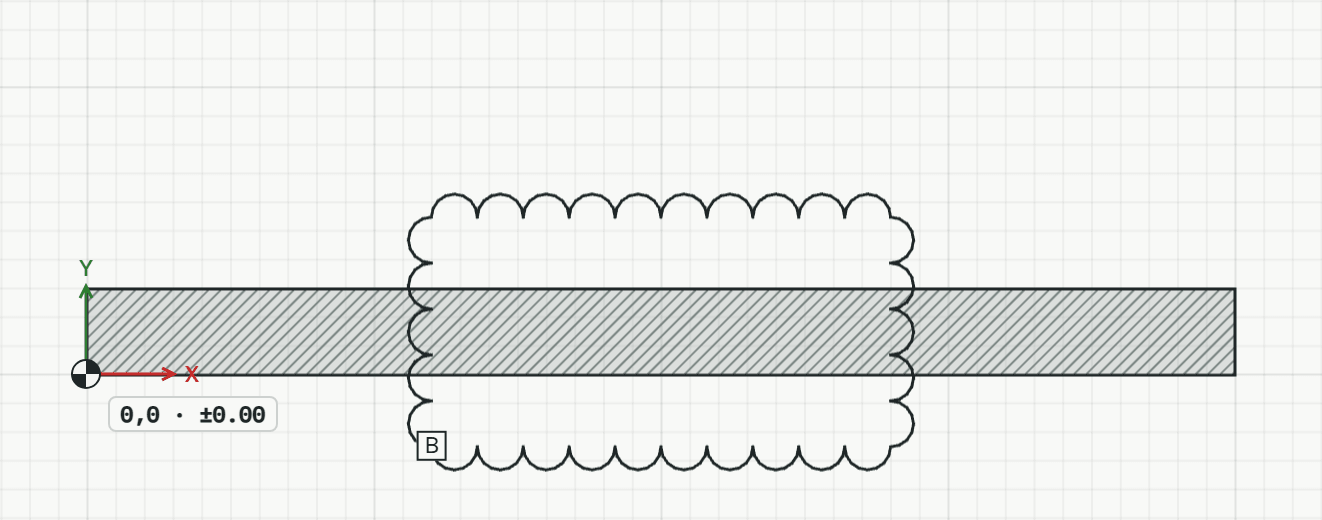
Draws a revision cloud around what changed: an outline of arcs, with an index in a small box at its first corner.
How it works
- Type the index, such as B, then click or type the first corner.
- Click or type the next corners, around what changed.
- Press Enter, or type C, to close it.
Options
Set on the command line while the tool runs; each starts with the value shown, and what you set is kept for the rest of the session.
- Index
- –
Keys
- Type RW, then Enter
While the tool runs
- U
- Undo point
- C
- Close