The site diary
During construction (LPH 8) the site diary (Bautagebuch) records each day on site: the weather, who worked, what was done and delivered, what got in the way, the instructions you gave and who came by. A day is closed once it is complete and then never changes, so the diary holds as a record when a delay or a claim is argued about later.
Where it is
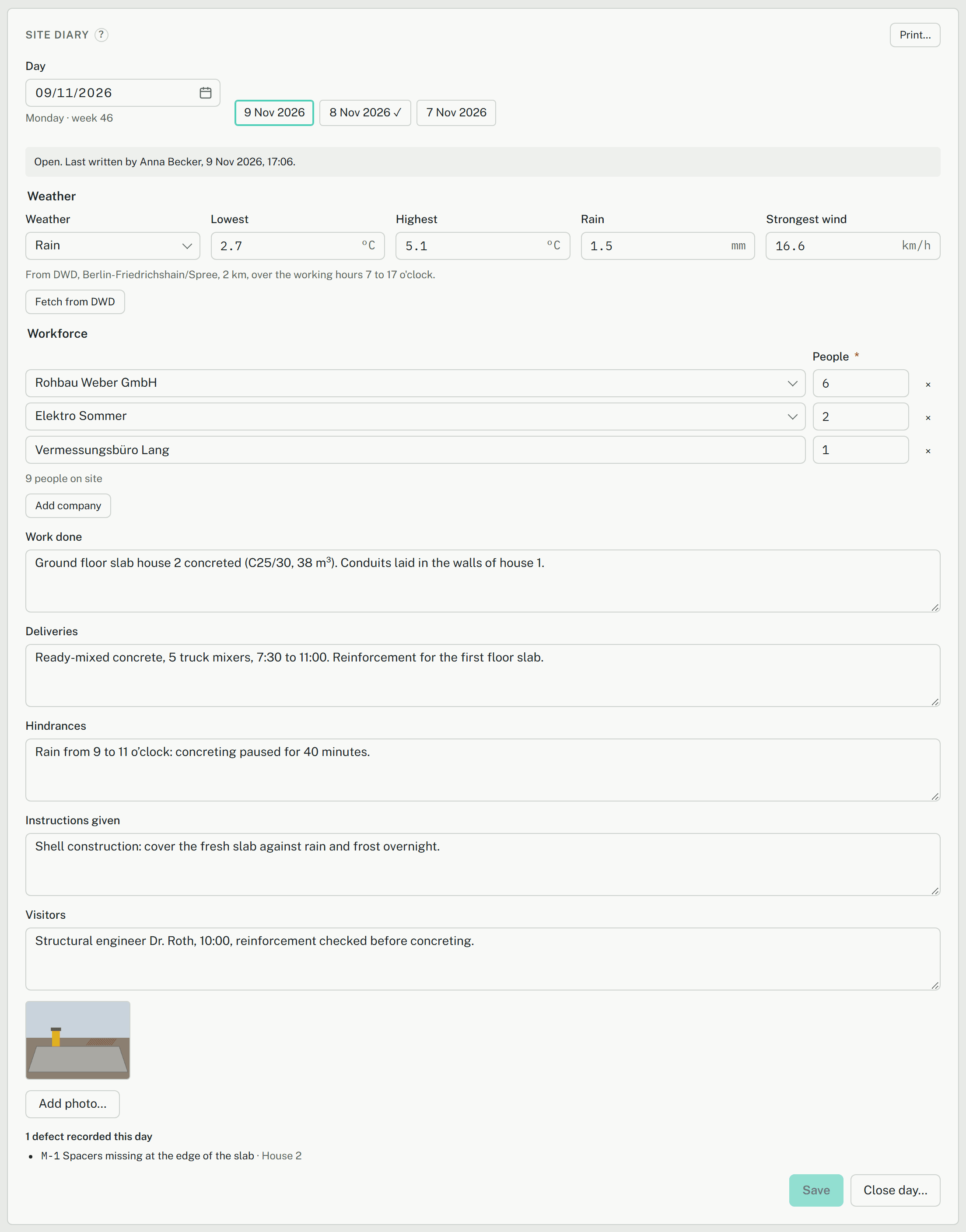
The Site diary card is on the project's overview, in the Site area. There is one entry per project and day. Day chooses the day, today to begin with; a day ahead can't be chosen. The last seven days written are chips below it, a closed one with a ✓.
Everyone in the project can write the diary except viewers, so a site manager with the reviewer role can too.
Weather from the DWD
Fetch from DWD fills in the weather from the open data of the Deutscher Wetterdienst (through the Bright Sky service): the station nearest the site, over the working hours from 7 to 17 o'clock. You get the condition, the Lowest and Highest temperature, the Rain in mm and the Strongest wind in km/h, with the station and its distance named below them.

It needs the site's position: enter Latitude and Longitude of the site in the project's settings (see Site data from official registers). Without it the button says so.
Where the site differs from the station, correct the value. A value changed by hand is no longer the station's: the line below then reads Typed in., and the print doesn't credit the DWD with it. Below 0 °C the line says Frost. Nothing is kept until you Save.
Writing the day
- Under Workforce, Add company for each company on site and enter its People. The list offers the project's companies (kept on the Defects card, see Defects on site); for anyone else choose Other (type the name) and type it. The card adds up the people on site.
- Write Work done, Deliveries, Hindrances, Instructions given and Visitors. Write hindrances on the day they happen, with the times: they are what a later notice of hindrance (Behinderungsanzeige) rests on.
- Add photo… adds photos of the day. They are made smaller in the browser before they are sent, so no location data goes with them.
- Save keeps the day. The line at the top says who wrote it last and when.
The defects recorded that day are listed under the day by themselves, with their number and room.
Closing a day
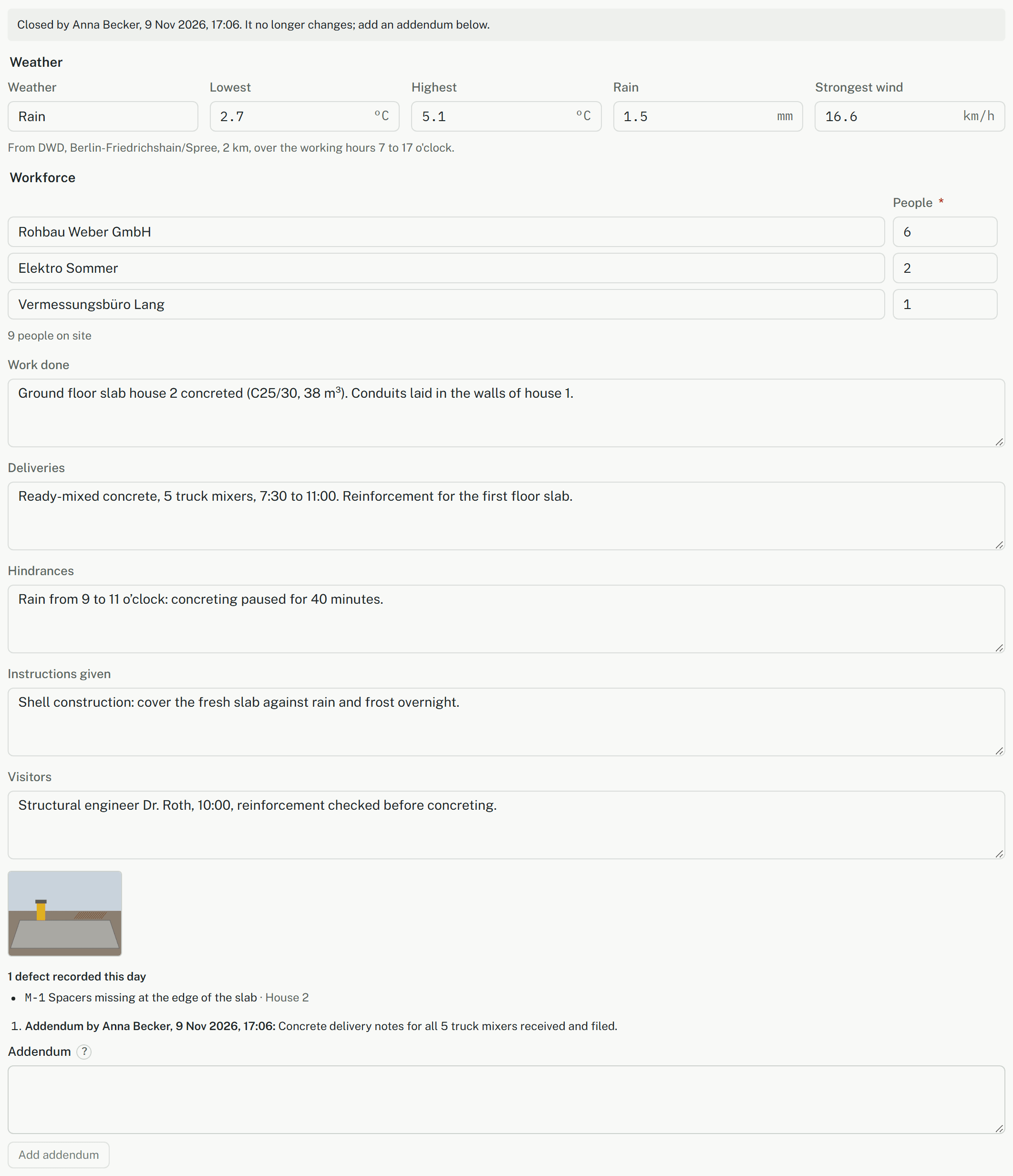
When the day is complete, Close day… and then Close day closes it. What is typed and not saved yet goes with it. Who closed it and when is recorded, and from then on the day never changes: not its text, not its weather, not its photos.
A day can be closed by the project lead and by the person responsible for an LPH 8 work item on the overview's Work card. Everyone else writes, and the button isn't shown to them.
Addenda
Something wrong or missing in a closed day goes into an Addendum below it: Add addendum puts it there with your name and the time. Addenda are never changed or deleted either.
Printing
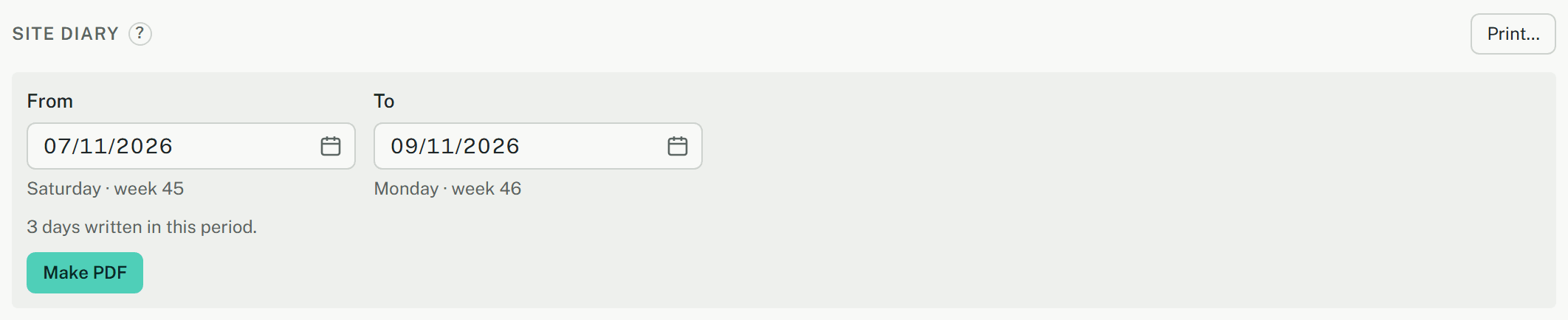
Print… on the card prints a period as a PDF: choose From and To, the card counts the days written in it, and Make PDF downloads it. Each day comes with its weekday and whether it is closed, the weather (with its source), the workforce, the texts, the defects of the day, the photos and the addenda. The PDF carries your office's logo and address from its print design.