Defects on site
On site (LPH 8) you record each defect where it is on the plan: with a photo, the company to fix it and a deadline. The project's overview lists them all, a notice of defects goes to the company as a PDF, and the company reports a defect fixed through a link of its own.
Before the site visit
- On the project's overview, under Defects, add the companies working on the project with Add company: name, trade, email, phone, and whether the contract is under VOB/B or BGB. Editors and the project lead keep the list.
- A company with defects stays on the project; it can't be removed.
Recording a defect
- Open the editor on a phone or tablet and choose Defect (MG). It is there on every phone, also on one that only views, and in a model you can only read: recording a defect writes nothing to the model.
- Tap the spot on the plan. The room around it and the element under it, a wall for instance, are kept with the defect as they are now.
- In Record a defect, say What is it?, choose the Company to fix it and a Deadline, and take a photo with Add photo…. Then Record defect. The tool stays on for the next one; Enter or Esc ends it.
Everyone in the project can record defects except viewers. Photos are made smaller on the phone before they are sent, so no location data goes with them.
Pins on the plan
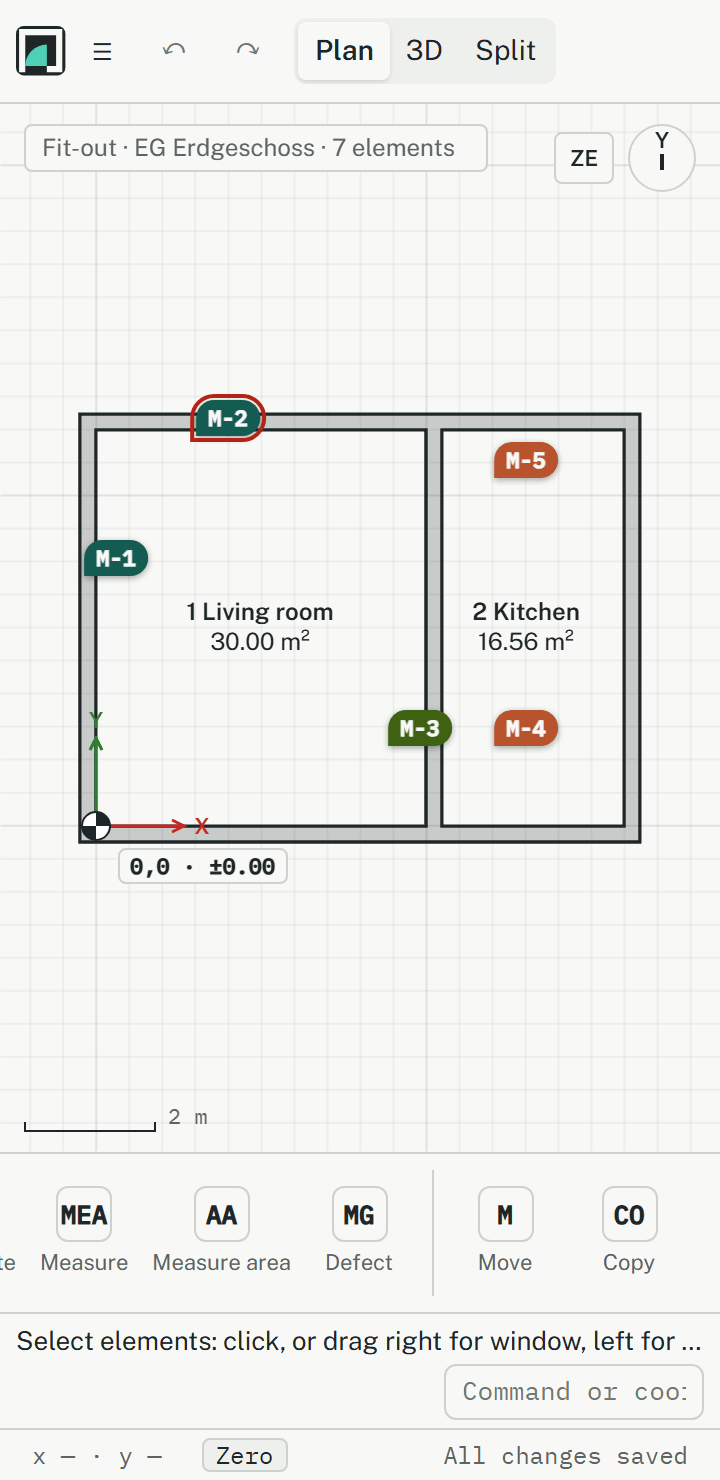
Each defect is a pin with its number, M-1, M-2 and so on, coloured by its state. One whose deadline has passed is outlined. A tap opens it.
Without signal
In a basement or a new building there is often no signal. A defect and its photos are then kept on the phone and sent by themselves as soon as there is a connection. Until then the pin reads M-… and is outlined dashed: the number is given when the defect reaches the server. The dialog says Recorded …, sent … when the two times differ.
A defect's states
A defect goes from Open to Notified (the company was told), Reported fixed (the company says it is done) and Done (checked on site). The buttons in the defect's dialog take it to the next state; Open again takes a done one back. Every step is kept under History with name and time.
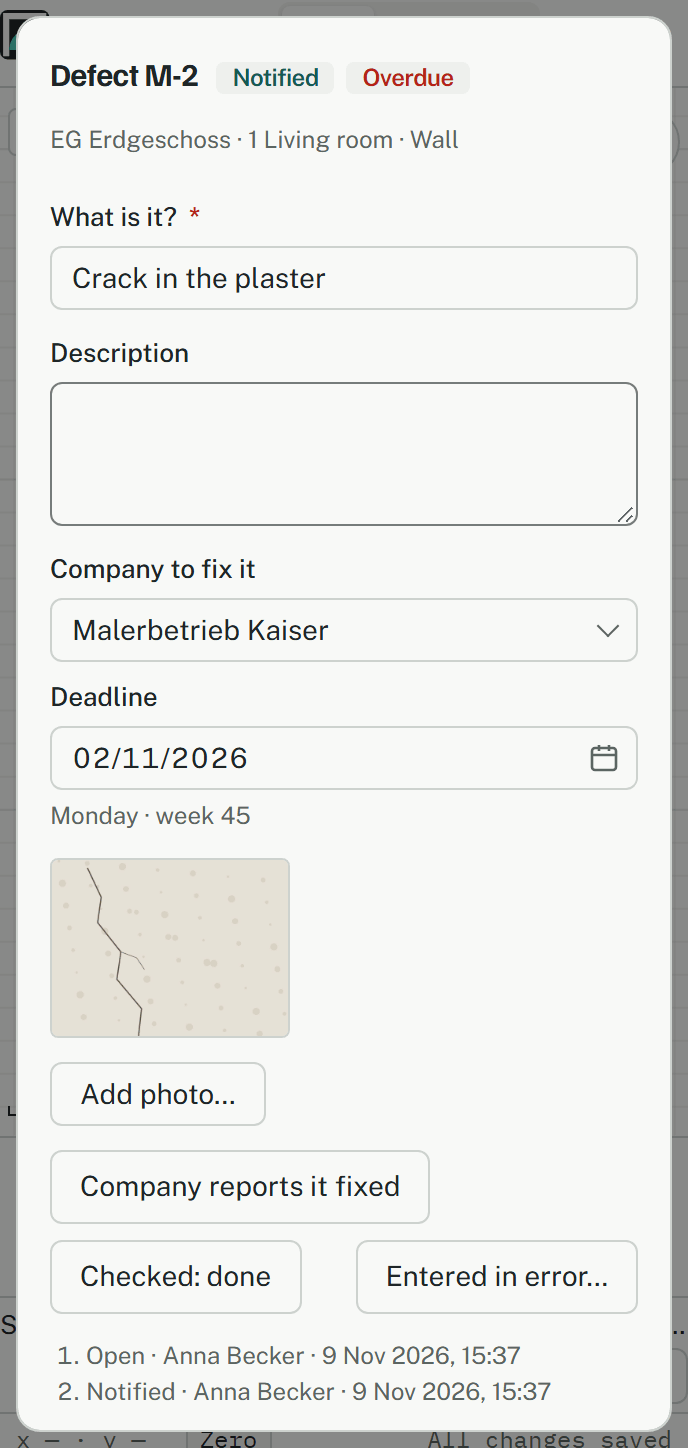
A defect is never deleted or moved. One recorded by mistake is marked Entered in error… with a reason, which is final.
The overview
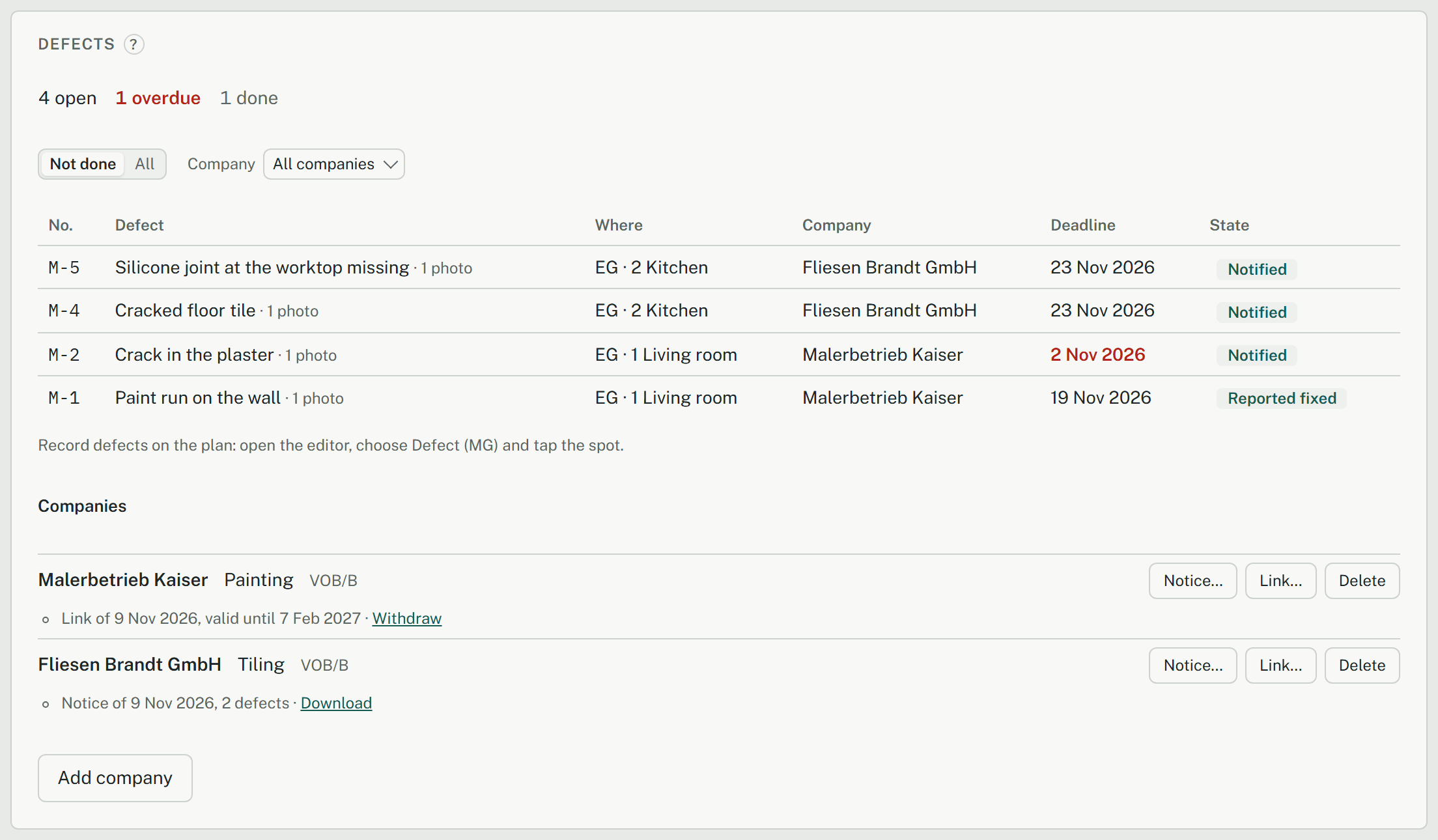
The Defects card on the project's overview counts open, overdue and done defects. Show chooses Not done or All, and Company narrows the list to one company. A defect's title opens it on its plan. The card also says how many defects or photos recorded on this device still wait to be sent.
Notice of defects
Notice… on a company makes a notice of defects as a PDF: your office, the company, the date and, for each of its open or notified defects, its place, deadline, a piece of the plan around its pin and its first photo. Under a VOB/B contract it asks for the remedy by the deadlines under VOB/B § 4 (7). The PDF is downloaded and kept with the company, and its open defects become Notified. Send it yourself, by email or post.
The company's link
Link… on a company makes a link to send to the company, shown only once, valid 90 days and withdrawn with Withdraw. Making links is for editors and the project lead. The company opens it without an account, on a phone too, and sees its defects that aren't done, with place, deadline and photos. With Report fixed… it adds a note and a photo if it likes.
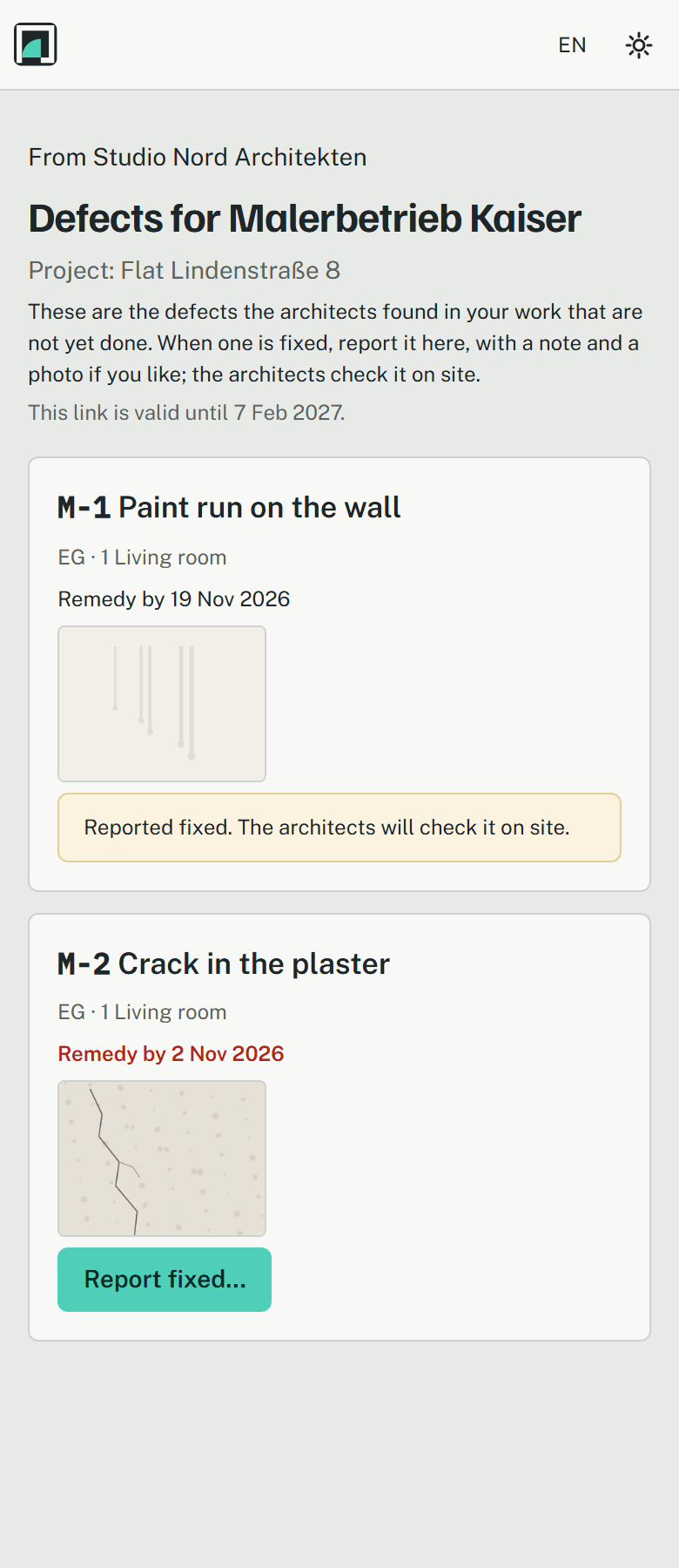
A defect reported this way becomes Reported fixed, recorded as by the company through its link, never Done: you check it on site and mark it done yourself.
After acceptance
A defect recorded on or after the day the company's work was accepted (a final acceptance, not a partial one) is a warranty defect, tagged Warranty in the list and the dialog. A notice of only such defects asks for the remedy under VOB/B § 13 (5), or § 635 BGB under a BGB contract.