Build-upAU
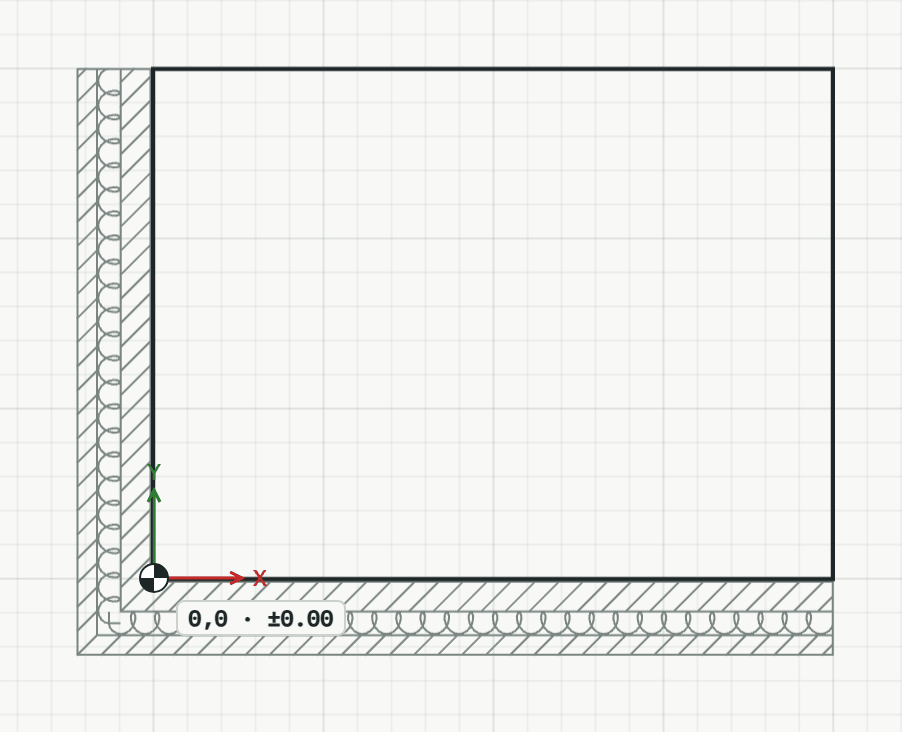
Draws the layers of a wall, floor or roof in one go, such as plaster, masonry, insulation and render, each a band of its thickness with its material's hatch. Soft insulation is drawn with its loop line. It stays one element: the inspector changes its layers.
How it works
- Click the points of the path the layers start from, such as the face of the cut wall, or type them; U takes a point back, and Enter ends the path. E instead lays it along a straight edge you click.
- Click the side the layers go to. The first layer lies against the path, the others follow outwards. The tool stays on for the next build-up.
Options
Set on the command line while the tool runs; each starts with the value shown, and what you set is kept for the rest of the session.
- Layers
- 15 Plaster; 240 Masonry; 160 Insulation, soft; 10 Plaster
Keys
- Type AU, then Enter
While the tool runs
- E
- Along an edge
- A
- Into an area